Process
Website project brief template (free, with a filled example)
A copyable template with eight short sections, a filled example for a fictional SaaS, and the mistakes that make a brief useless.
By Nabeel Mustafa··5 min read

A website project brief template is a short document with fixed sections that you fill in before you ask anyone for a quote. The one below has eight sections: goal, audience, what exists, scope, content, technical needs, budget and timeline, and how you will measure success. Copy it, answer each section in a few lines, and you have a brief a designer can price from.
I also show a filled example for a fictional SaaS company, and the mistakes I see most often. If you want to know why each question matters, I wrote about that in a good brief saves you money. This post is the practical part: the template itself.
The website project brief template
Copy the sections below into a doc or a note. Keep the headings, delete the hints, and write short answers. Bullet points are fine. A blank section is also fine, as long as you mark it as an open question.
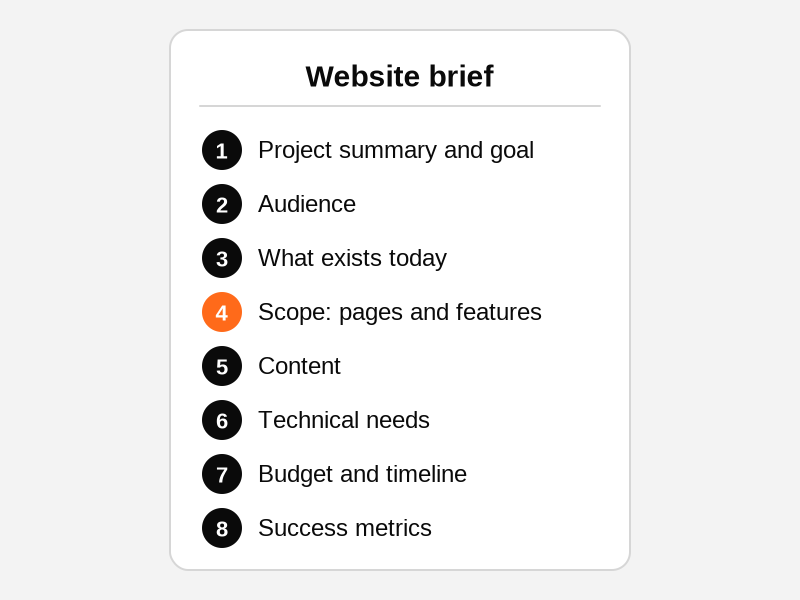
1. Project summary and goal
- Company name and one sentence on what it does.
- Why you need a new site now (launch, rebrand, the old site does not convert, new product).
- The one main goal of the site, in one sentence.
- A second goal, if any, ranked below the first.
2. Audience
- Who the main visitor is (role, company size, what they already know).
- What they want to do on the site.
- What stops them from acting today (trust, price, unclear product).
- Main device and country or language.
3. What exists today
- Current site URL and what you like and dislike about it.
- Brand assets: logo, colors, fonts, brand guidelines.
- Tools in use: CMS, CRM, analytics, newsletter, booking or payments.
- Three sites you like, and one line on what you like about each.
4. Scope: pages and features
- Must-have pages or sections.
- Must-have features (forms, blog, pricing toggle, search, sign-in).
- Nice to have, if the budget allows.
- Out of scope for this project (write this list, it protects the budget).
5. Content
- Which copy is ready, which needs editing, which does not exist yet.
- Photography, product screenshots, video: ready or needed?
- Who writes and approves content on your side.
- Who will update the site after launch, and how often.
6. Technical needs
- Who edits the site after launch and what they are comfortable with.
- Integrations that must work on day one.
- Hosting or platform limits from your IT or security team.
- Accessibility, privacy or legal requirements (cookie rules, WCAG level).
7. Budget and timeline
- Budget range.
- Hard deadline and the reason for it (event, launch, funding round).
- Who makes the final decision, and how often they can review.
8. Success metrics
- What you will measure three months after launch.
- The current number, if you know it.
- The number that would make this project worth it.
Website brief example: a filled template for a SaaS site
Here is the template filled in for Ledgerly, a fictional bookkeeping SaaS. The company, the numbers and the people are invented. The point is to show the level of detail that is useful: short, specific, and honest about what is not known yet.
Summary and goal
Ledgerly is bookkeeping software for small design studios. The current site was built before the product existed and describes features that changed. Main goal: more trial sign-ups from organic search and referrals. Second goal: fewer sales calls spent explaining what the product does.
Audience
Studio owners with 2 to 15 people, mostly in the US and UK. They are not accountants and do not want to become one. They compare us with general accounting tools and worry that switching will be painful. Mostly desktop, often on a laptop between meetings.
What exists
Logo and two brand colors, no guidelines. Product screenshots are outdated. We use HubSpot for leads, Plausible for analytics and Stripe for billing. We like how two competitors explain pricing, and we dislike long hero videos.
Scope
- Must have: home, pricing, three feature pages, about, contact, blog with categories.
- Must have: HubSpot form on contact and trial pages.
- Nice to have: a short product tour with motion that shows the dashboard.
- Out of scope: the app itself, the help center, a full rebrand.
Content, technical, budget and timeline
We write the copy, the founder approves it. New screenshots are needed. Marketing (one person, not technical) must publish blog posts without a developer. Budget range $10k to $15k. Launch before our conference talk in March. The founder decides and can review once a week.
Success metrics
Trial sign-ups from the site, currently about 40 a month (fictional). Target: double that within three months. Fewer "what does it do" questions on sales calls.
Common mistakes in a website brief
- Listing pages instead of goals. A page list tells the designer what to build, not why. Without the why, every design decision is a guess.
- Five goals of equal weight. When goals conflict, the designer needs to know which one wins. Rank them.
- No out-of-scope list. Everything not written down will come up later as "we assumed this was included".
- Hiding the budget. You get quotes for different projects at different sizes, and you cannot compare them.
- Content left for later. Content that is not ready is the most common cause of a late launch. Say who writes it and when.
- Describing the brand with adjectives only. "Modern, clean, bold" fits every site. Three reference sites with a note on each say more.
- No one owns the decision. A brief signed off by a committee becomes a project reviewed by a committee, and that doubles the timeline.
Each of these is cheap to fix in the brief and expensive to fix after design starts. If you are not sure how scope affects price, read what actually drives the cost of a website.
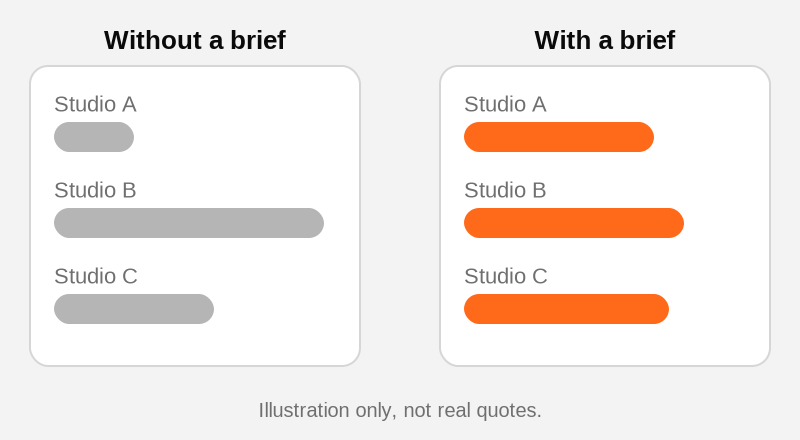
How to send your brief to a web designer
Send the brief before the first call, not after. A designer who has read it can spend the call on the hard questions instead of the basic ones. Attach files as links, not as a zip of 40 images, and name the one person who will answer questions.
Ask each designer to reply with their questions before they quote. The questions tell you a lot. Good ones point at gaps you did not see. Generic ones mean the brief was not read. If you are still deciding between a single page and a full site, this guide on landing page or full website can help you settle that before you send anything.
Wrapping up
Copy the eight sections, answer each one in a few lines, add an out-of-scope list and a budget range, and you have a website project brief that a designer can price and plan from. If you want a fixed quote on yours, see how I work on web design and send it over.
Frequently asked questions
How long should a website brief be?
One to two pages is enough for most marketing sites. A designer needs clear answers, not a long document. If a section runs past half a page, it usually means a decision is still open. Write the decision down as an open question instead of a long explanation, and settle it on the first call.
Should I include my budget in a website brief?
Yes. A budget range lets the designer tell you what fits inside it and what to cut. Without one, you get quotes for different projects and cannot compare them. A range such as $8k to $15k is enough. It is an input to the scope, not a promise to spend the top of the range.
Who should write the website brief, me or the agency?
You should write the first draft, because you know the business, the customer and the goal. The designer or agency then turns it into a scope and asks the questions you missed. A brief written only by the agency tends to describe what they like to build, not what your business needs.
What is the difference between a brief and a scope of work?
The brief is your side: the goal, the audience, what exists, what you need and the limits. The scope of work is the designer's answer: the exact pages, deliverables, timeline and price. A clear brief makes the scope faster to write and easier to check, because every line in the scope should trace back to the brief.
Related guides



Next article
GSAP horizontal scroll section in React and Next.js
Pin the section, move the track by its real overflow, animate cards inside it, and give phones a native swipe instead.
Read