Tools
Free Next.js portfolio template (open source): Robin
Robin is a one-page portfolio for designers and developers, built with Next.js 16, GSAP and Tailwind. Here is how to clone it, make it yours and put it online for free.
By Nabeel Mustafa··6 min read
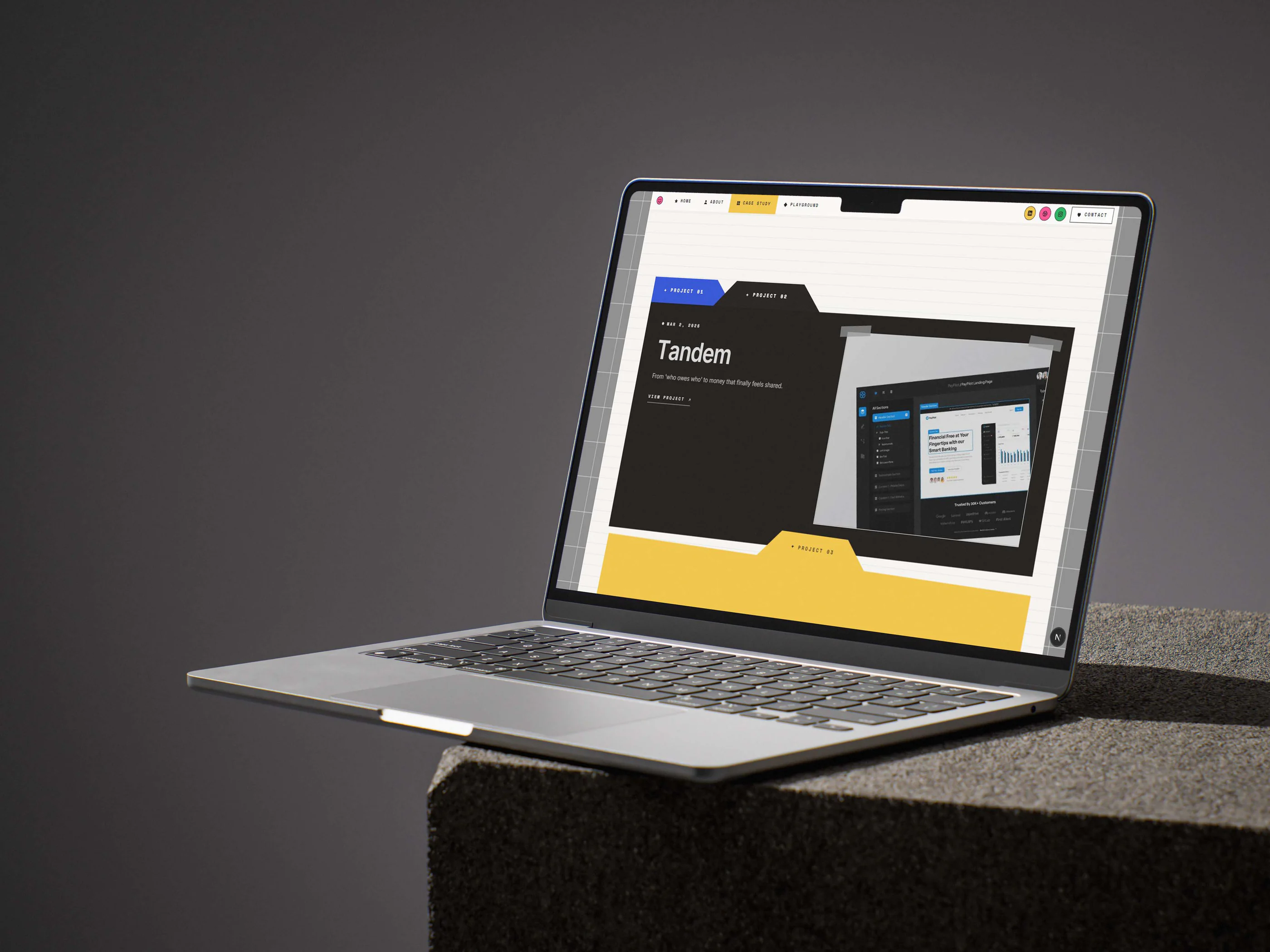
If you want a free Next.js portfolio template that does not look like every other one, Robin is mine, and it is free on GitHub. It is a one-page portfolio styled like a notebook page, built with Next.js 16, React 19, Tailwind CSS v4 and GSAP. You change the content in one file, deploy it to Vercel for free, and you are online the same day.
Clone it and run it locally first. The dev server runs on port 5000.
git clone https://github.com/nabeel-mustafa-git/modern-designer-portfolio-template.git my-portfolio
cd my-portfolio
npm install
npm run dev
# open http://localhost:5000
You can see screenshots and the story behind it on the Robin case study.
What is in this free Next.js portfolio template
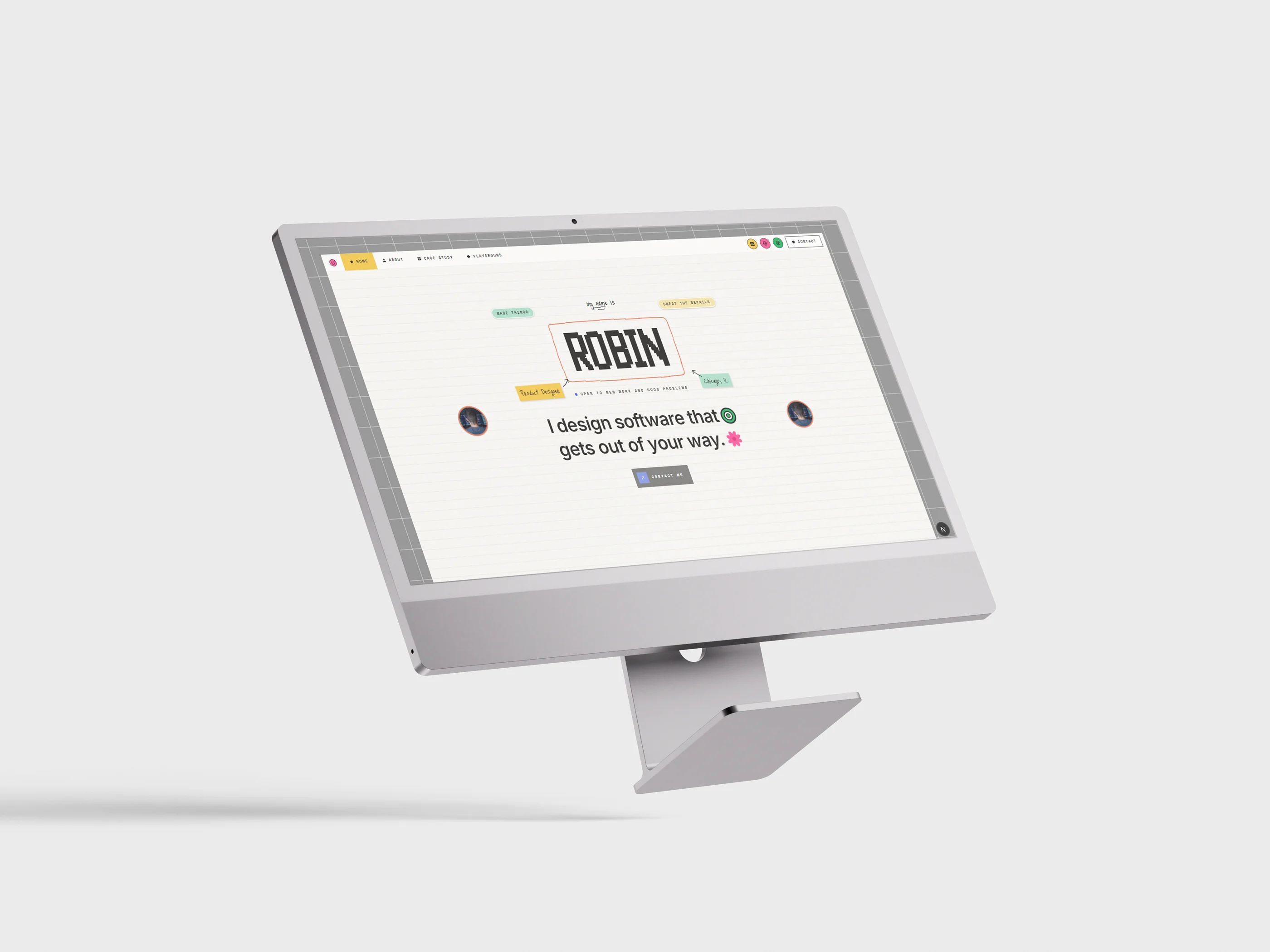
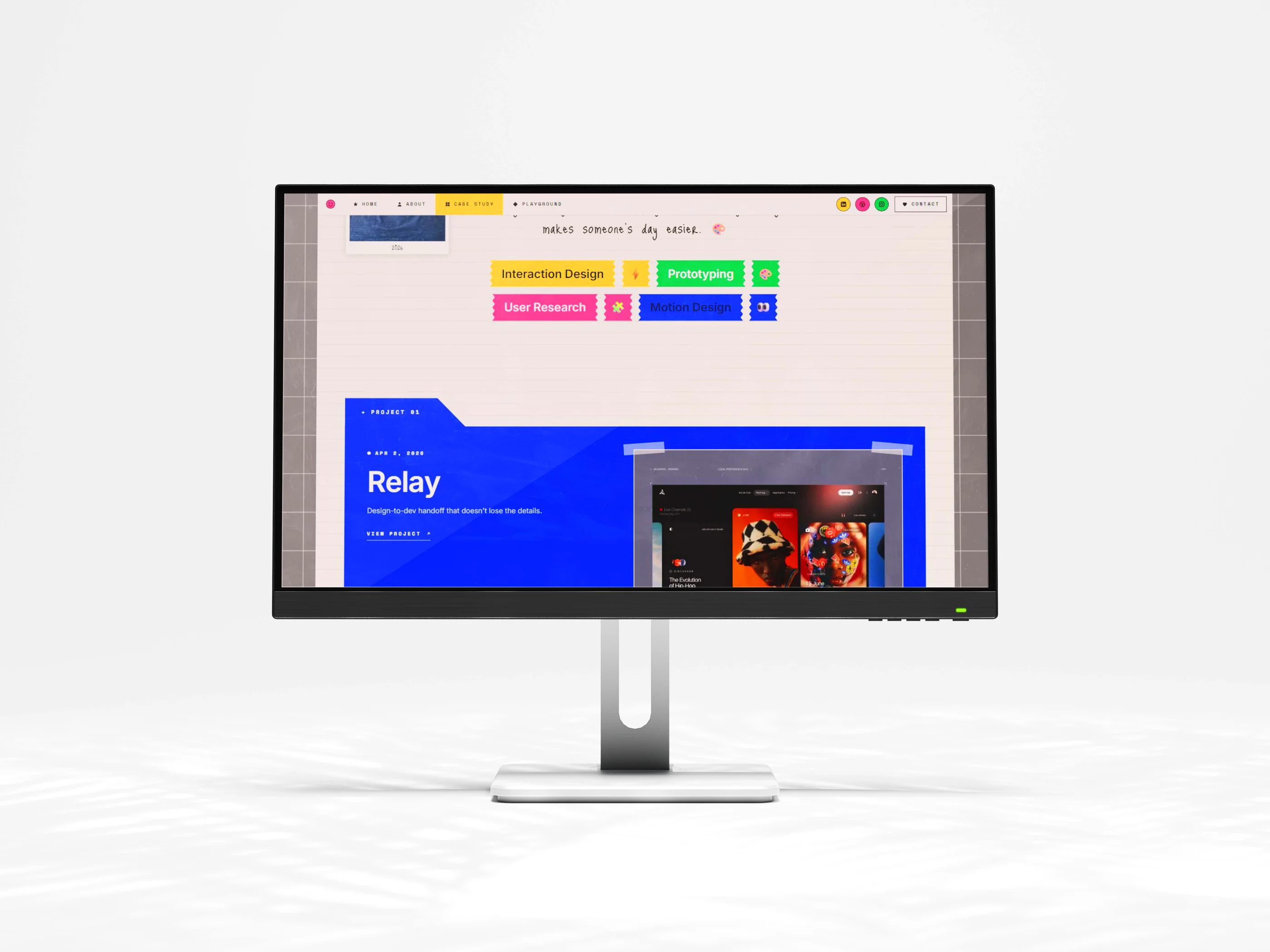
Robin is a single page with four sections: a hero, an about block, a stack of project cards and a footer. The look is ruled paper, stickers, polaroids and folder-tab cards. The motion is part of the design, not added on top.
- The paper sheet unrolls on load, the name box draws itself and the letters stamp in.
- Stickers can be dragged and spring back (GSAP Draggable).
- The about text inks in word by word as you scroll (ScrollTrigger and SplitText).
- Project cards pin and stack like folders.
- Lenis smooth scrolling, driven by GSAP's ticker.
- Everything respects
prefers-reduced-motion.
Since GSAP 3.13, every GSAP plugin is free, including SplitText and DrawSVG, so there is nothing to buy. If you want to understand how the GSAP setup works in the App Router, I wrote a guide to GSAP in Next.js.
How to customize the template
Where your content lives
Most of the content sits in one file, app/data/site.ts: your projects, skill tags, nav links, social links, contact email and image paths. Each project card is one object.
export const projects: Project[] = [
  {
    title: "Relay",
    date: "Apr 2, 2026",
    summary: "Design-to-dev handoff that doesn't lose the details.",
    image: "/images/project-01.webp",
    href: "#",
    theme: "cobalt", // "cobalt" | "coal" | "sun"
  },
  // ...
];

export const contactEmail = "hello@robin.design";
Replace the placeholder projects with yours and point href at a case study or a live site. The rest of the text is in the section components:
- Name, headline and stickers:
app/components/sections/Hero.tsx - About text:
app/components/sections/About.tsx - Footer:
app/components/sections/Footer.tsx - Colors and fonts:
app/globals.cssandapp/layout.tsx
Put your photos in public/images with the same file names, or change the paths in site.ts. The portrait and workspace photos are portrait shaped (about 4:5). Project covers are landscape (4:3), and WebP keeps them small.
Make it look like your own site
Changing the text is the minimum. A few small changes make a template look like your own site instead of a template with your name on it.
- Change the palette. Edit the color tokens in the
@themeblock ofapp/globals.css(Tailwind v4 turns them into utility colors). Keep the paper tone light so the ruled lines still read. If you need a starting point, the free color palette tool in my Lab builds a tested palette with tokens for CSS and Tailwind. - Swap the fonts. The fonts load with
next/font/googleinapp/layout.tsxand map to CSS variables inapp/globals.css. Change them in both places. - Rewrite the stickers. They are the personality of the page. Use words and icons that describe how you work.
- Tune the motion. The timings live inside each section component. Slower and fewer is usually better than faster and more.
- Add sections only when they earn it. The nav already has a Playground link that you can build a section for, or remove. A writing list or a talks list also fits the style.
How to deploy your Next.js portfolio on Vercel for free
Vercel's Hobby plan is free for personal, non-commercial projects, and a personal portfolio fits. You need a GitHub account and a Vercel account.
- Create a new empty repository on GitHub for your portfolio.
- Point your local copy at it with
git remote set-url origin <your repo URL>, then commit and push. - In Vercel, choose Add New, then Project, and import the repository. Vercel detects Next.js, so the default build settings work.
- Deploy. You get a
vercel.appaddress in about a minute. - Optional: add your own domain under the project's Domains settings and follow the DNS steps Vercel shows.
From now on, every push to the main branch deploys again on its own. Run npm run build locally before you push, so a type error does not break the live site.
What makes a good developer portfolio template?
Most free templates fail in the same places. When you compare options, check these:
- Content in one place. You should not hunt through ten components to change your email address.
- A current stack. Next.js App Router, React 19, TypeScript. An old Pages Router template is work you will redo later.
- Motion with a purpose. It should guide the eye to your work and stay out of the way of reading.
- Reduced motion support. Some visitors turn animation off. The site must still work and look finished.
- Fast on a phone. Recruiters and clients open links on their phones. Test it there before you share it.
- A design with character. A portfolio is a first impression. If it looks like a startup landing page, it says nothing about you.
What to put in a developer portfolio
The template is the frame. What you put in it decides whether someone gets in touch. Keep it short and specific.
- One sentence at the top: what you build and for whom. See why a site should explain itself in ten seconds.
- Three to five projects, not twenty. For each: the problem, what you did, the stack, and a link to the live site or the code.
- At least one project you built for yourself, start to finish.
- Your stack as a short list, only tools you would use in an interview tomorrow.
- A clear way to contact you: an email address, not only a form.
- Links to GitHub and one other profile you keep current.
A second free option: the GSAP Starter Kit
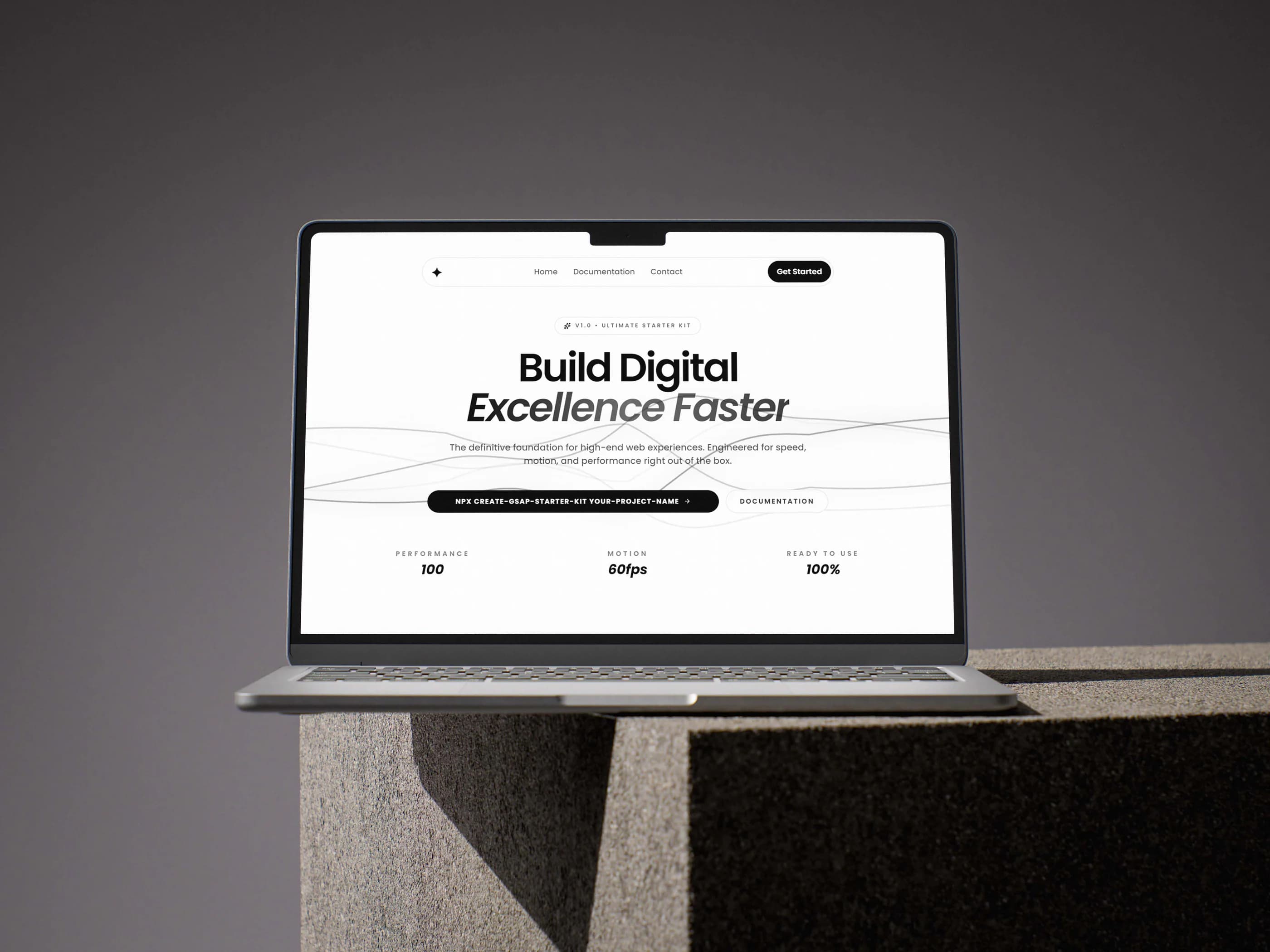
If you would rather design your own portfolio from scratch, start with my GSAP Starter Kit instead. One command gives you a Next.js project with GSAP, ScrollTrigger and Lenis already connected, with reduced motion and cleanup handled.
npx create-gsap-starter-kitIt is on npm and had 687 downloads in its first four months. The GSAP Starter Kit case study has a live demo of each pattern it includes.
Wrapping up
Clone Robin, change app/data/site.ts, swap the images, change the colors and fonts, and deploy it free on Vercel. That is a real portfolio online in an afternoon. If you want a portfolio or site designed around you instead of a template, see how I work on web design.
Frequently asked questions
Can I use the Robin template for my own portfolio?
Yes. The README says you are free to use it, edit it and ship it as your own portfolio. Replace the name, photos, projects and links with yours. The README does not ask for a credit link. If you plan to resell it as a template, ask first through the GitHub repository.
Do I need to know GSAP to use this template?
No. The animations are already built and run on their own. You only edit text, images and links in app/data/site.ts and a few section files. If you want to change an animation, the GSAP code sits inside each section component, and GSAP is free for commercial use, including SplitText and DrawSVG.
Is Vercel free for a portfolio site?
Yes, for a personal portfolio. Vercel's Hobby plan is free and meant for personal, non-commercial use, which covers a portfolio about you. You get a free vercel.app address and can add your own domain. If the site sells products or serves a business, Vercel asks you to use the paid Pro plan.
What is the difference between Robin and the GSAP Starter Kit?
Robin is a finished portfolio design: you change the content and publish. The GSAP Starter Kit is a blank Next.js project with GSAP, ScrollTrigger and Lenis already connected, for when you want to design your own site from scratch. Both are free. Start with Robin if you want to be online this weekend.
Related guides



Next article
Custom cursor follow animation with GSAP quickTo
A smooth cursor follower in React, hover states from data attributes, magnetic buttons, and the checks that keep it off touch screens and out of the way of people who need the real cursor.
Read